Start receiving fan and sponsor support for your team. It takes about 5 minutes.
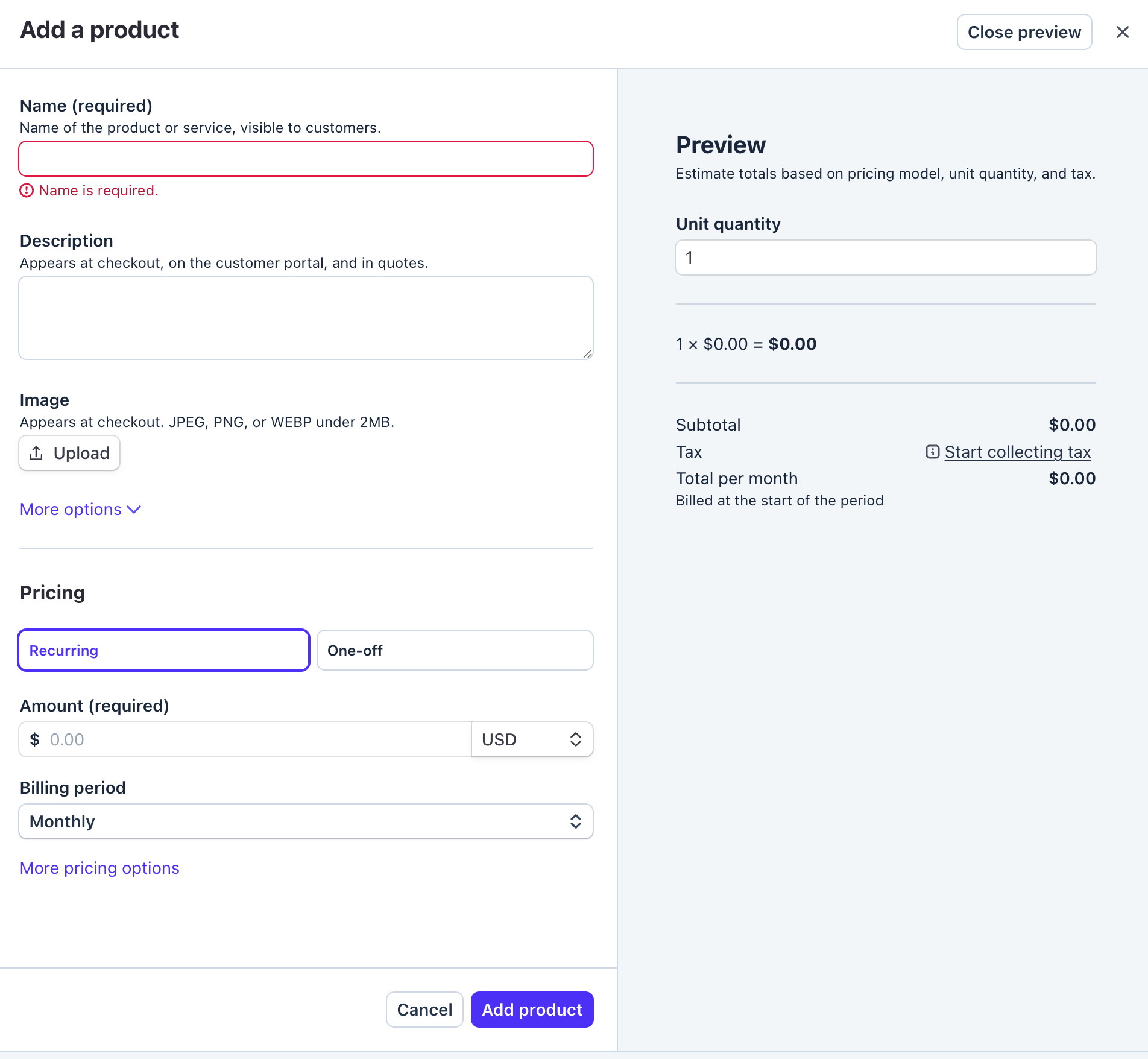
Go to your Stripe Dashboard and click + Create product in the upper right. If you don't have a Stripe account yet, create one free — it only takes a minute.

Name it something fans will recognize — like "Support [Your Team Name]". Add a short description of what supporters get. Set the pricing to Recurring or One-off and choose your amount. Then click Add product.
You can create multiple products at different price points — one for fans, one for sponsors, whatever works for your team.
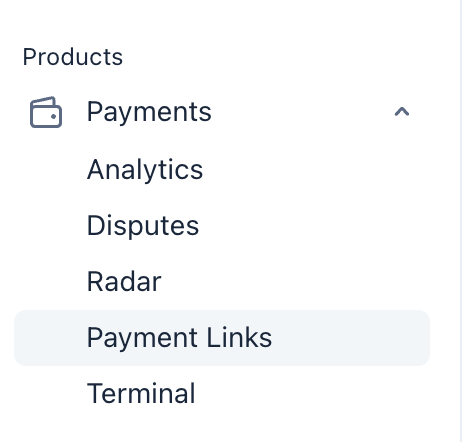
In the left sidebar, go to Payments → Payment Links. This is what turns your product into a shareable URL that anyone can use to support your team.
Make sure you're in Live mode (not Test mode) in your Stripe dashboard. Look for the toggle in the top-right. Test mode payment links won't process real payments.
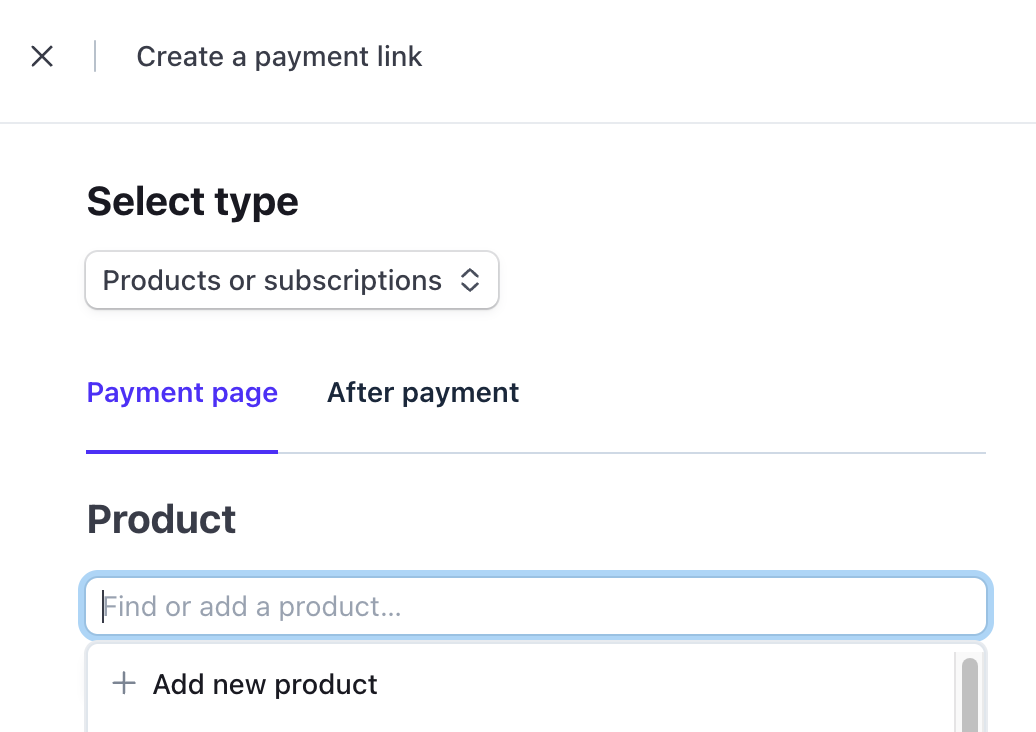
Click + Create payment link, search for the product you just created, and Stripe will generate a unique payment URL. Copy that link — that's what you'll paste into your Race Team Wiki profile.
Once it's on your team page, anyone who visits can support you directly. Stripe handles the payments, you get paid.
Paste your Stripe payment link into your team profile and start sharing your page. Every dollar goes directly to your team.
Go to Your Dashboard Race Team